
目录
Choosing the right display resolution is essential for both work productivity and entertainment enjoyment. This lcd resolutions guide provides a comprehensive overview of different resolution types, their advantages, and how to select the best one for your needs. Whether you are working on office tasks, creative projects, or gaming, understanding resolution and its impact on screen performance will help you make informed decisions and maximize your visual experience.
Understanding LCD Resolutions
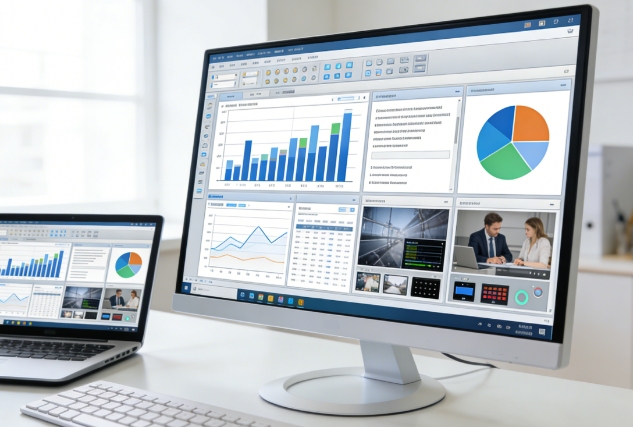
LCD resolution refers to the number of pixels displayed horizontally and vertically on a screen, directly affecting image clarity, detail, and workspace size. In this lcd resolutions guide, we will cover common resolutions and their ideal use cases:
- Full HD (1920×1080): Suitable for general office work, web browsing, and video streaming. Full HD balances clarity with system performance, making it a reliable choice for most users.
- Quad HD (2560×1440): Offers more screen real estate and finer detail, ideal for video editors, graphic designers, and professionals handling multiple tasks simultaneously.
- 4K Ultra HD (3840×2160): Perfect for gamers, photographers, and content creators who require extremely sharp visuals and precise color accuracy.
- Beyond 4K: Resolutions such as 5K and 8K are increasingly used in high-end professional monitors, providing ultra-detailed images for large-format design and immersive experiences.
Understanding the differences between resolutions allows you to balance visual quality with hardware capabilities and budget, which is a core focus of this lcd resolutions guide.
Essential Considerations for Selecting the Right Resolution
Selecting the right resolution involves more than just pixel count. Consider the following factors carefully:
- Screen Size and Pixel Density: High-resolution displays on small screens may render text and icons too small, while low-resolution large screens may appear pixelated.
- Viewing Distance: The closer you sit to the screen, the more noticeable the resolution difference. For desktop work, higher resolution improves clarity and detail.
- System Performance: High resolutions demand more from your graphics card and CPU. This lcd resolutions guide emphasizes ensuring your hardware can handle the chosen resolution smoothly, especially for gaming or video editing.
- Purpose of Use: Different activities, such as office work, creative design, gaming, or casual browsing, require different resolutions. Choosing according to your tasks improves both comfort and efficiency.
Improving Work Productivity
The right LCD resolution can significantly enhance your work efficiency:
- Increased Workspace: Higher resolution allows multiple applications and windows to be open at once, improving multitasking capabilities.
- Sharper Text and Graphics: Clear text reduces errors in documents, spreadsheets, and presentations. Detailed visuals help designers and editors work accurately.
- Reduced Eye Strain: High pixel density creates smoother lines and sharper edges, reducing fatigue during long work sessions.
- Professional Collaboration: Crisp visuals enhance presentations, screen sharing, and video conferences, contributing to a more professional appearance.
In this lcd resolutions guide, work productivity is emphasized as a key consideration when selecting a monitor, especially for professionals in design, editing, and office environments.
Enhancing Entertainment and Gaming Experience
For gaming and entertainment, resolution plays a critical role in immersion and overall experience:
- Crisp and Realistic Visuals: Higher resolutions enhance textures, shadows, and fine details in games and videos.
- Smooth Performance: Balancing resolution with refresh rate ensures fluid motion and responsiveness, especially in competitive gaming.
- Future-Proofing: A high-resolution monitor ensures compatibility with upcoming software, games, and multimedia content.
- Content Creation and Streaming: For video creators and streamers, higher resolution allows accurate color representation and professional-quality output.
This lcd resolutions guide highlights that resolution is essential for entertainment and creative users who want optimal visual quality.
Tips for Optimal Use
To get the most from your display, consider the following practical tips from this lcd resolutions guide:
- Adjust Scaling Settings: Optimize text, icons, and interface elements for readability at higher resolutions.
- Calibrate Color and Brightness: Accurate calibration ensures precise visuals and reduces eye discomfort.
- Choose Appropriate Refresh Rates: High refresh rates paired with high resolution provide smooth visuals for gaming and motion-intensive tasks.
- Optimize Workspace Layout: Arrange applications and toolbars efficiently to fully utilize the increased screen space.
- Match Hardware Performance: Pair your monitor with a capable GPU and CPU to prevent lag and ensure seamless operation at high resolutions.
Conclusion
Choosing the right LCD resolution is crucial for improving both work productivity and entertainment experience. This lcd resolutions guide provides a detailed overview of resolution types, key selection factors, and tips for optimal usage. Understanding the relationship between screen size, pixel density, viewing distance, and hardware performance helps you select a monitor that meets current needs and remains future-proof. Properly selecting an LCD resolution enhances not only clarity but also your overall interaction with technology, making every visual experience efficient and enjoyable.
0